 AFKode
Open source overlay for AI coding agents
Your AI codes while you play.
Supervise Claude Code, OpenCode, Codex, or any terminal from an in-game overlay. Check, approve, go back to the match.
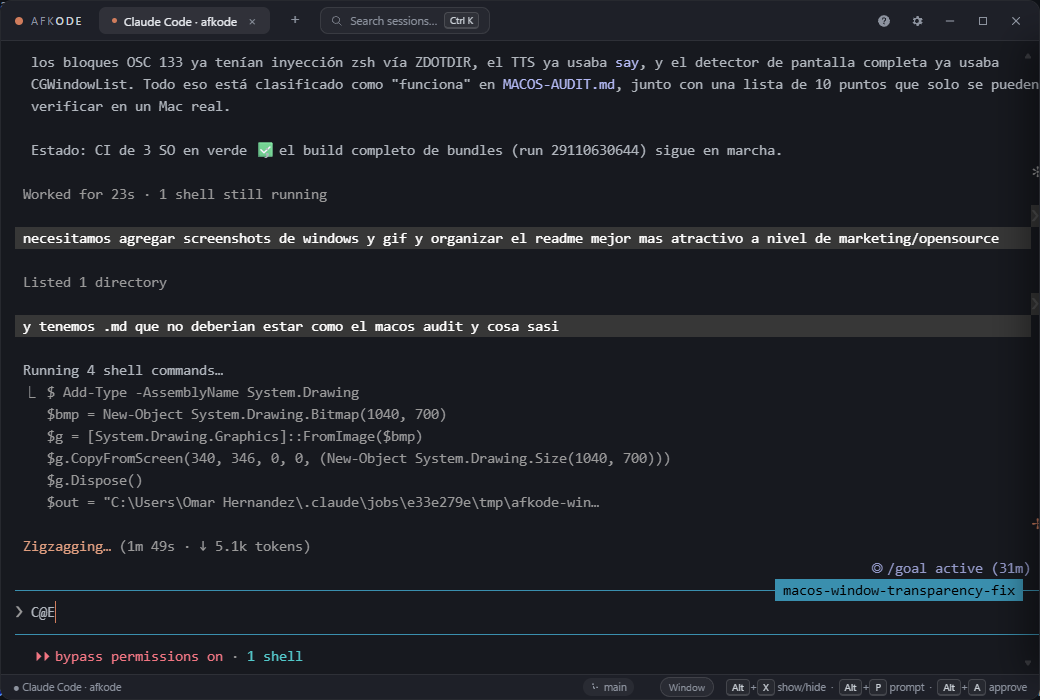
A real session: AFKode supervising Claude Code, which is auditing AFKode's own codebase.
Built for the space between matches
Everything the overlay does exists so you never have to alt-tab to babysit an agent.
Approve without opening anything
Alt A answers the pending permission prompt from anywhere. While the overlay is hidden, the draggable mini-HUD pill keeps showing your agent's state over the game.
Never leave your game
The overlay floats above windowed and borderless games. Alt X toggles it instantly, with no FPS hit and a ~2 MB installer.
Your agent's real state
Claude Code sessions launch with injected hooks that report which tool runs and when it waits for you. All local, on 127.0.0.1.
Knows when you're in a match
Fullscreen game focused: notifications go silent and queue in an inbox. One ping when you're back in the lobby.
A Spotlight-style palette
Alt P, type the task, Enter. History, /command and @file autocomplete included.
A real terminal underneath
ConPTY/PTY with truecolor, interactive TUIs, Warp-style command blocks, scrollback search and parallel session tabs.
Five hotkeys. Zero alt-tabs.
On macOS, Alt is the Option key.
Install in one command
Windows, macOS and Linux builds ship from the same codebase. Updates install themselves after you confirm.
Windows
Via winget, or grab the NSIS installer from Releases.
winget install OmarHernandez.AFKode
AFKode detects the agent CLIs installed on your system and offers a launcher for each one it finds.
macOS
Download the .dmg and drag to Applications. Unsigned for now: right-click, then Open on first launch.